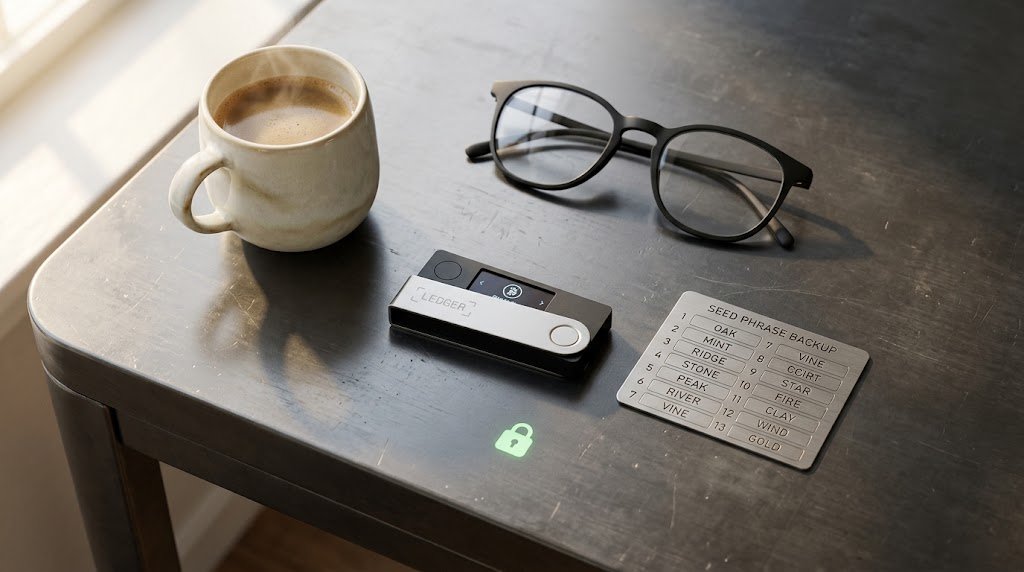
Are you holding Bitcoin, Ethereum, or valuable Web3 digital assets on centralized exchanges or hot software wallets in 2026? Mastering crypto hardware wallets & web3 security is the absolute most critical practice to protect your private keys from malicious smart contracts, phishing drainers, and exchange insolvencies.
Without cold storage hardware protection, everyday Web3 users remain exposed to automated malware attacks, compromised browser extensions, and physical device theft. In this detailed guide, we will break down essential crypto hardware wallets & web3 security protocols to ensure your digital wealth stays strictly under your control.
Why Crypto Hardware Wallets & Web3 Security Matter in 2026
The decentralized finance and NFT ecosystem has matured, but cyber threats targeting self-custody wallets have grown equally sophisticated. Storing your assets on hot wallets connected directly to the internet exposes your private keys to memory-scraping viruses and malicious browser scripts.
According to security guidelines published on Ethereum.org, using an isolated hardware wallet isolates your private keys in a physical secure element chip, guaranteeing that transactions must be physically confirmed on device buttons before signing. Implementing robust crypto hardware wallets & web3 security practices allows you to explore decentralized applications without fear of losing your funds.
7 Best Crypto Hardware Wallets & Web3 Security Hacks for 2026
Building a bulletproof self-custody setup requires combining dedicated physical hardware with strict operational habits:
1. Store Your Recovery Seed Phrase Offline on Metal
Never type your 12-to-24-word recovery seed phrase into any phone, computer, or cloud storage service. Use stainless steel or titanium seed storage plates to protect your master backup against fire, water damage, and physical wear.
2. Isolate Your Vault Wallet from Active DeFi Signing
Maintain a multi-wallet architecture. Keep the vast majority of your long-term crypto assets on a “vault” hardware wallet that never interacts with unknown smart contracts, and use a separate “burner” wallet for minting NFTs or testing new protocols.
3. Verify Transaction Details Directly on the Hardware Screen
Malicious dApps can modify transaction payloads before sending them to your wallet extension (a “front-running” or Blind Signing exploit). Always cross-check the receiving contract address and transaction amount directly on your hardware wallet’s physical display.
4. Utilize Revoke Tools to Cancel Active Smart Contract Allowances
When interacting with Web3 platforms, you grant token allowances that permit smart contracts to spend your funds. Regularly inspect and revoke unneeded token approvals using security platforms like Revoke.cash.
5. Buy Hardware Wallets Exclusively from Official Manufacturers
Never purchase second-hand or third-party marketplace hardware wallets on eBay or unofficial sellers. Tampered supply chains can lead to pre-configured seed phrases designed to drain your wallet upon deposit.
6. Enable Passphrase Feature (Hidden 25th Word)
Most advanced hardware wallets support an optional custom passphrase (the “25th word”). This creates an entirely separate, hidden wallet interface that remains invisible even if someone discovers your physical 24-word seed recovery sheet.
7. Guard Against Phishing and Malicious Browser Extensions
Cybercriminals often create replica dApp interfaces or malicious Google Search ads targeting popular Web3 brands. Always bookmark official protocol URLs and verify smart contract addresses on block explorers like Etherscan before confirming approvals.
Comparison of Top Crypto Hardware Wallets

Evaluating security architecture and connectivity features helps you pick the right cold storage device for your portfolio.
| Hardware Wallet Model | Secure Element Rating | Connectivity Options | Screen Display Type | Best For |
| Ledger Nano X | CC EAL5+ | Bluetooth & USB-C | OLED Screen | Mobile Web3 users & staking |
| Trezor Model T | Open-Source Firmware | USB-C & MicroSD | Color Touchscreen | Beginners seeking intuitive interface |
| Keystone 3 Pro | CC EAL6+ Triple Chip | Air-Gapped QR Code | 4-inch Touchscreen | Maximum isolation & QR-code signing |
| BitBox02 | Dual-Chip Architecture | USB-C & MicroSD Backup | OLED Touch Sensors | Bitcoin-focused self-custody |
Step-by-Step Workflow for Securing Your Web3 Assets
Follow this 4-step framework to transition your crypto assets into complete cold storage safety:
- Initialize Your Hardware Wallet Offline: Generate a fresh recovery seed phrase directly on the hardware device in a private location.
- Stamp Seed Backup on Steel: Transfer your seed phrase to a physical metal plate and store it in a secure location.
- Conduct a Small Test Deposit and Withdrawal: Send a tiny test transaction to confirm wallet operations before transferring substantial capital.
- Audit Smart Contract Approvals Monthly: Schedule regular reviews to revoke unused token spending limits across all connected addresses.
For more guides on digital finance, privacy tools, and cybersecurity strategies, visit our homepage to read our latest tutorials.
Final Thoughts on Crypto Hardware Wallets & Web3 Security
Taking control of your financial sovereignty through self-custody is one of the greatest benefits of cryptocurrency.
- Never compromise on storing seed phrases completely offline.
- Use air-gapped or hardware verification for all high-value transactions.
- Keep active trading activities completely separated from long-term cold storage.
By implementing these crypto hardware wallets & web3 security strategies, you can participate in the decentralized economy while keeping your digital assets safe from malicious threats. Continuous vigilance and strict security hygiene remain your ultimate defense in Web3.
For more guide and helpful tips, feel free to visit our homepage.